
Baby Rattle: Giggles & Lullaby
Bebi Family: preschool learning games for kidsParenting
4.8292.00 Reviews
- Version
- 3.01.08
- Installs
- 100.00K
- Age Rating
- Everyone
Screenshots
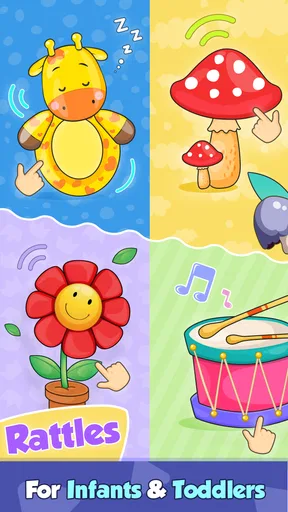
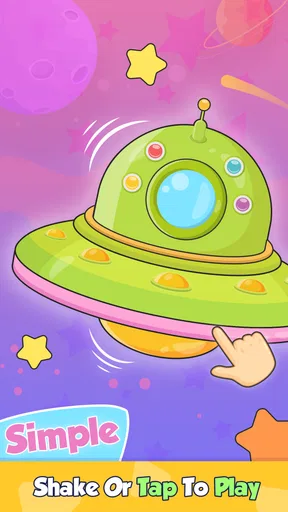
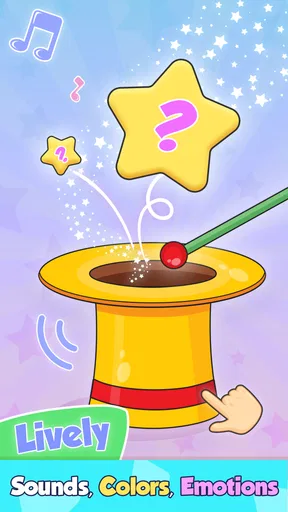
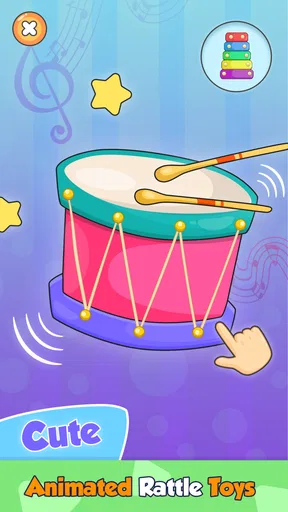
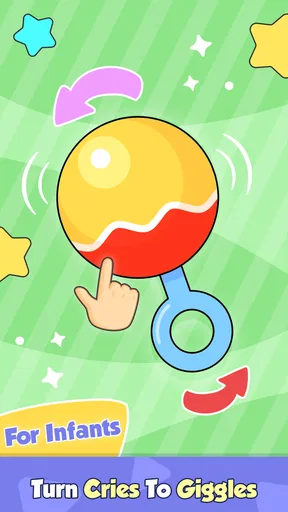
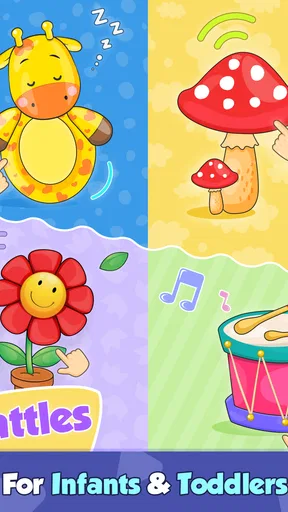
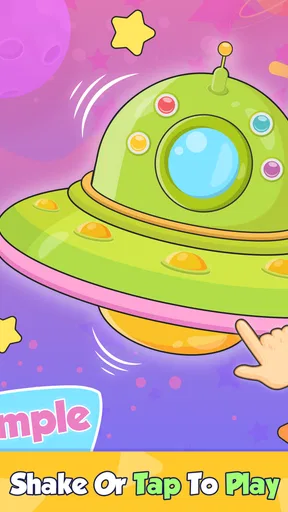
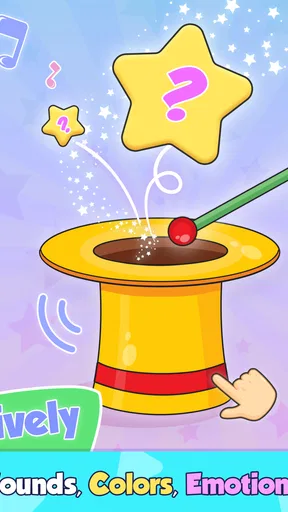
Our Review of Baby Rattle: Giggles & Lullaby
 Analysis by Appyee
When a baby needs a gentle distraction, a complicated learning platform is often the wrong tool. Baby Rattle: Giggles & Lullaby is built around a much simpler idea: offer infants and toddlers a bright, touch-friendly experience with animated characters and sounds, without turning the moment into a noisy advertising break. I found it most useful as a short, supervised activity rather than something to leave running in the background.
The app comes from Bebi Family: preschool learning games for kids, and it sits in the parenting category. It is free to install, rated for Everyone, and has reached over 100 thousand installs. Its current version is 3.01.08, and it works on devices running Android 6.0 or later. Those details make it accessible for families using an older spare phone or tablet, although the quality of the experience will still depend on the device’s screen, speakers, and general condition.
What to expect when you open it
The first thing I would tell a new parent is to keep expectations realistic. This is not a full preschool curriculum, a baby monitor, or a replacement for hands-on play. It is a compact digital rattle: a visual and audio activity designed to attract a young child’s attention through movement, color, character animation, and simple interaction.
That narrow purpose is also its main strength. There are no long instructions to explain and no complicated menu system that a child must understand before anything happens. The experience is intended to feel immediate. A young user can explore by tapping, while an adult can stay nearby and decide when the activity has done its job.
The store summary emphasizes lively characters, cute animation, sounds, and an ad-free experience. In practical terms, that makes the app more suitable for a calm waiting moment than many free children’s apps that interrupt play with unrelated banners or videos. The most important benefit is predictability: a parent can hand over the device without expecting an advertisement to suddenly take over the screen.
That does not mean every child will react to it in the same way. Some babies are drawn to sound, while others respond more strongly to movement or color. A child who is already tired may become frustrated by any screen activity, and a toddler who wants a more structured challenge may outgrow this kind of simple interaction quickly. I see it as a small tool for short windows of attention, not an all-purpose solution.
A sensible first setup
Before giving the phone or tablet to a child, I recommend opening the app yourself in a quiet moment. Check the volume first, especially if you are using it near a sleeping baby or in a waiting room. The sounds are part of the appeal, but the right level is one that the child can notice without making the surrounding adults uncomfortable.
I would also hold the device rather than placing it close to the child’s face. That gives you better control over distance, reduces the chance of accidental drops, and makes it easier to stop the activity when the child loses interest. A sturdy case is particularly useful with toddlers, because a playful tap can quickly become a grab, shake, or throw.
The app is free, but in-app purchases range from $1.99 to $4.99 per item. I would review any purchase prompts before handing over the device, and I would keep store purchasing protected by the device’s normal parental controls. This is less about the app being difficult to use and more about avoiding an accidental tap by a curious child.
Although the age rating is Everyone, that should not be confused with unsupervised use. An age label describes suitability in broad terms; it does not replace an adult’s judgment about screen time, volume, posture, or whether a child is becoming overstimulated. For infants especially, I would treat the app as a shared activity where the adult watches the child’s reaction.
One useful preparation trick is to decide what success means before opening it. If your goal is to settle a child for a few minutes while you finish packing a bag, you need a different approach from a parent trying to encourage simple cause-and-effect exploration. Having that goal prevents the app from becoming an automatic response every time the child is bored.
Finding the first meaningful success
The first successful action is not a high score or a completed lesson. It is the moment the child notices the screen, reaches toward it, and understands that touching it produces an interesting response. I would start by holding the device at a comfortable angle and making one deliberate tap myself. Then I would pause and allow the child time to look, rather than repeatedly touching the display on the child’s behalf.
That pause matters. Babies often need a moment to connect their movement with what they see and hear. If an adult taps continuously, the child may enjoy the animation but never discover the relationship between action and response. With a toddler, you can gently model one tap and then invite them to try. The aim is exploration, not performance.
A realistic everyday use case is a short wait before an appointment. I would open the app only after the child has been fed, comfortable, and given a chance to look around normally. I would keep the device in my hand, let the child interact for a brief stretch, and close it when attention fades. Used this way, the app can fill an awkward pause without becoming the center of the entire outing.
Another useful approach is to use it as a transition rather than a reward. For example, a parent might allow a few minutes of interaction while preparing to leave, then announce that the rattle activity is finished before putting the device away. This gives the child a clear beginning and end. It also helps avoid the common mistake of reopening the app every time a transition becomes difficult.
I like that the experience can be shared verbally. An adult can point out a character, imitate a sound, or describe what moved on the screen. That turns passive staring into a small conversation. The app itself cannot provide the personal feedback of a parent, so the adult’s involvement is what gives the activity more value.
Where new users may feel confused
The simplicity of a baby-focused app can create a different kind of confusion: adults may expect a visible lesson structure, while the child is simply exploring. If you are looking for progress tracking, detailed educational levels, or a clear sequence of tasks, this is probably too lightweight. Its purpose is immediate sensory engagement, not measurable academic advancement.
It is also easy to mistake a child’s quiet attention for unlimited suitability. A baby may remain fascinated by movement and sound even after becoming tired. I would watch for turning away, rubbing eyes, fussing, or losing interest. Those signs are more useful than the amount of time the screen has been open. When they appear, stopping is usually better than trying to recapture attention with more tapping.
Parents may also wonder whether the app is appropriate for an older toddler. The Everyone rating makes it broadly accessible, but suitability depends on what the child wants from an app. A very young child who enjoys simple visual feedback may find it engaging. An older toddler seeking puzzles, stories, drawing, or language practice may need something with a clearer challenge and more variety.
The ad-free positioning is helpful, but it should not be read as a promise that the app will solve every distraction problem. A child who is hungry, uncomfortable, or seeking a parent’s attention may not benefit from any digital rattle. In those situations, a snack, a cuddle, a change of scenery, or a real object to handle is the better answer.
Sound is another point where families differ. Some children enjoy lively audio, while others become unsettled by it. If the child reacts negatively, try lowering the volume before abandoning the app entirely. If the visual activity works better in silence, use the device’s sound controls rather than assuming the whole experience is unsuitable.
There is also a practical difference between using a phone and using a tablet. A larger screen may be easier for a child to see, but it can be heavier and harder for a small hand to hold safely. A phone is easier for an adult to manage during travel, yet its smaller display may make interaction less comfortable. I would choose the device that lets the adult stay in control, not automatically the one with the largest screen.
How it compares with familiar alternatives
Compared with a physical rattle, the app offers animation and sound that can change when the child touches the screen. A real rattle, however, develops a different kind of interaction: the child can grasp it, shake it, chew it, and feel its weight. For sensory variety and movement away from screens, the physical toy is the stronger choice. For a compact activity when you already have a phone in your hand, this app is more convenient.
Compared with general children’s video apps, this experience is more focused. Video platforms may provide longer entertainment, but they can also encourage passive viewing and expose families to a much wider range of content. A simple rattle-style app is easier to keep within a narrow purpose. I would choose it when I want a brief, contained interaction rather than an endless stream.
Compared with educational apps for preschoolers, it is less demanding and less structured. That is not necessarily a weakness for infants, who may not be ready for instructions, counting tasks, or matching games. It becomes a limitation when a child needs a genuine learning progression. In that case, a dedicated early-learning app with activities matched to the child’s developmental stage would be a better next choice.
Compared with lullaby or white-noise tools, the animated visuals make this more interactive but potentially less calming. If the goal is sleep, I would not rely on a bright touchscreen as the main bedtime aid. A quiet routine and a screen-free wind-down may be more appropriate. The app’s soothing value depends heavily on the child’s response and the way the adult uses it.
One trade-off stands out: the app’s simplicity makes it easy to start, but it also limits how long it remains interesting. That is a reasonable exchange for a baby rattle, yet it is important to understand before installing it. You are choosing convenience and immediate interaction over depth, variety, and long-term progression.
Small techniques that make the experience better
My first tip is to use the app before you need it. Opening it for the first time during a stressful wait means you are learning the controls while also managing a restless child. A quick adult test at home lets you check the sound, see how the characters respond, and decide whether the device is comfortable to hold.
My second tip is to alternate screen interaction with a real-world object. After a short turn, offer a soft toy, cloth book, or physical rattle and describe the similarities and differences. The digital activity then becomes one part of play rather than the only source of stimulation. This is especially useful for parents who want the convenience of the app without making the phone the default toy.
My third tip is to use a clear stopping signal. Say something simple such as “one more tap, then finished,” wait for the child to interact, and close the app calmly. The wording will not work perfectly for every age, but repeating the same transition routine can make the ending less abrupt than taking the device away without warning.
A fourth practical insight is to keep the adult’s finger out of the way once the child begins experimenting. It is tempting to demonstrate every animation, but doing so can turn the child into a spectator. Letting the child make slower, imperfect taps gives the experience more meaning and helps you see whether the app is genuinely engaging or merely visually loud.
Finally, observe what kind of response your child prefers. If movement attracts attention but sound causes distress, reduce the audio. If the child ignores the screen but reaches for the device itself, the problem may be the format rather than the content. These observations help you decide whether to continue, change the setup, or return to a physical toy.
Who should use it, and who should skip it
I would recommend it to parents of infants and young toddlers who want a quick, uncomplicated touch activity and prefer an ad-free experience. It can be handy during short waits, while traveling, or when an adult needs a few calm minutes to complete a nearby task. It is also approachable for families using an older compatible Android device.
I would be more cautious if your main goal is formal learning. The app does not replace books, conversation, movement, music with a caregiver, or hands-on play. Parents seeking phonics, numbers, drawing practice, stories, or developmental tracking should look for a more specialized option. This is a rattle-like diversion, not a complete educational plan.
I would also skip it when a child is clearly overtired or when the family is trying to establish a screen-free sleep routine. Bright animation and sound may work against that goal. Likewise, if your child consistently prefers physical objects and does not enjoy touchscreens, there is no reason to force the format simply because it is available.
My recommendation after trying the full routine
With an average rating of 4.8 from around 1.7 thousand ratings, the app has clearly appealed to many families, and I can understand why. It is focused, easy to approach, and more contained than handing a young child an open-ended video feed. The free entry point also makes it simple to test whether your child responds to this style of interaction before spending anything.
The limitations are just as clear. Its entertainment value may be brief, its learning depth is modest, and it needs an adult’s judgment about volume, timing, and stopping. The in-app purchase range is worth keeping in mind, even though the basic download costs nothing. Families should also remember that an ad-free screen can still be less useful than a real conversation or physical play in many situations.
My honest view is that Baby Rattle: Giggles & Lullaby works best as a small item in a parent’s toolkit. I would install it for travel, waiting rooms, and short supervised moments, then put it away when the child’s attention or mood suggests a different need. If you want a gentle first touch interaction rather than a full preschool program, this is a sensible app to try.
The strongest path for a first-time user is simple: install it on a compatible device, test the sound privately, open it while you are beside the child, demonstrate one interaction, and wait. If the child responds with curiosity, continue briefly and talk about what is happening. If not, close it without pressure. That approach respects what the app does well while keeping it in the right place: a convenient digital rattle, not a substitute for the parent or the world around the child.
Verdict
Strengths of Baby Rattle: Giggles & Lullaby
- Simple controls suitable for babies and toddlers.
- Bright animations can help capture a child’s attention.
- Lullaby mode may support a calming bedtime routine.
- Works well for short, supervised play sessions.
- Varied sounds provide basic sensory stimulation.
Limitations of Baby Rattle: Giggles & Lullaby
- Some babies may find the sounds or flashing effects overstimulating.
- Limited activities may reduce replay value for older toddlers.
- Requires adult supervision to prevent accidental device handling.
- Background audio can be distracting in quiet environments.
- Compatibility and performance may vary across older devices.
Other Releases by Bebi Family: preschool learning games for kids
View All
Baby Puzzle Games for Toddlers
Educational4.7

Baby Games for 1-3 Year Olds
Educational4.5

Bebi: Baby Games for 2-4y kids
Educational4.6

ABC Games: Phonics & Tracing
Educational4.7
Similar Picks in This Category
View All
Family Space
Motorola Mobility LLC.3.9

شرطة الأطفال - مكالمة وهمية
Oub Apps4.1

Findmykids: Parental Control
LETEM LTD4.6

Pregnancy + | Tracker App
Philips Electronics UK Limited4.8

Policía de niños - para padres
Kids police4.7

Pregnancy App
Amila4.9
Frequently Asked Questions
What is Baby Rattle: Giggles & Lullaby designed for?
Baby Rattle: Giggles & Lullaby is a simple entertainment app designed for babies and toddlers. It typically combines colorful animations, playful sounds, giggles, interactive rattles, and calming lullabies to hold a child’s attention. The interface is intentionally uncomplicated, so young children can tap the screen and receive an immediate visual or audio response without needing to understand menus or instructions.
Is Baby Rattle: Giggles & Lullaby safe for babies to use?
The app is generally made with young children in mind, using bright visuals, friendly sounds, and uncomplicated interactions. However, parents should supervise use because babies may accidentally open other screens, change settings, or make in-app purchases if the device is not secured. It is also worth checking the current store listing for advertising, data collection, and parental-control information before installation.
Does Baby Rattle: Giggles & Lullaby work without an internet connection?
Many of the core rattle sounds, animations, and lullaby features may work offline once the app has been installed, which is convenient for travel or bedtime routines. Nevertheless, internet access can still be required for advertisements, updates, analytics, or optional content, depending on the version and platform. Test the app in airplane mode before relying on it away from Wi-Fi.
Can parents use Baby Rattle: Giggles & Lullaby at bedtime?
Yes, the lullaby portion can be useful as a gentle background activity during a baby’s quiet time or bedtime routine. Parents should keep the volume low and avoid treating the app as a replacement for a consistent sleep environment. Check whether the version you install includes a sleep timer or automatic stopping feature, since continuous audio and screen brightness may disturb some children.
Does Baby Rattle: Giggles & Lullaby contain ads or in-app purchases?
The availability of advertisements and purchases can vary by device, region, and the specific version downloaded. Before allowing a child to use the app independently, review its Google Play or App Store listing and inspect the parental settings. If ads are present, they may be distracting or accidentally tapped. Using device-level purchase restrictions and disabling notifications can provide additional protection.
